How to Draft and Customize Your Consultancy Agreement
Quick Summary
A Consultancy Agreement governs the relationship between your company and external advisors, freelancers, or independent consultants. Learn how to configure terms, deliverables, IP rights, and payments on Founding Legals.
Drafting Your Consultancy Agreement
Welcome to the step-by-step administrator guide for drafting, configuring, and executing a legally binding consultancy agreement on the Founding Legals platform. Whether you are hiring a freelance developer, a growth marketing expert, or a strategic business advisor, documenting expectations, deliverables, IP transfer, and payments protects your intellectual property and ensures business continuity.
Step-by-Step Guide to Creating a Consultancy Agreement
Select your baseline terms: Choose between standard and custom terms in the right-hand slide-out sidebar. Standard terms pre-populate the draft with legally vetted, industry-accepted independent contractor clauses, while custom terms allow you to import custom provisions.
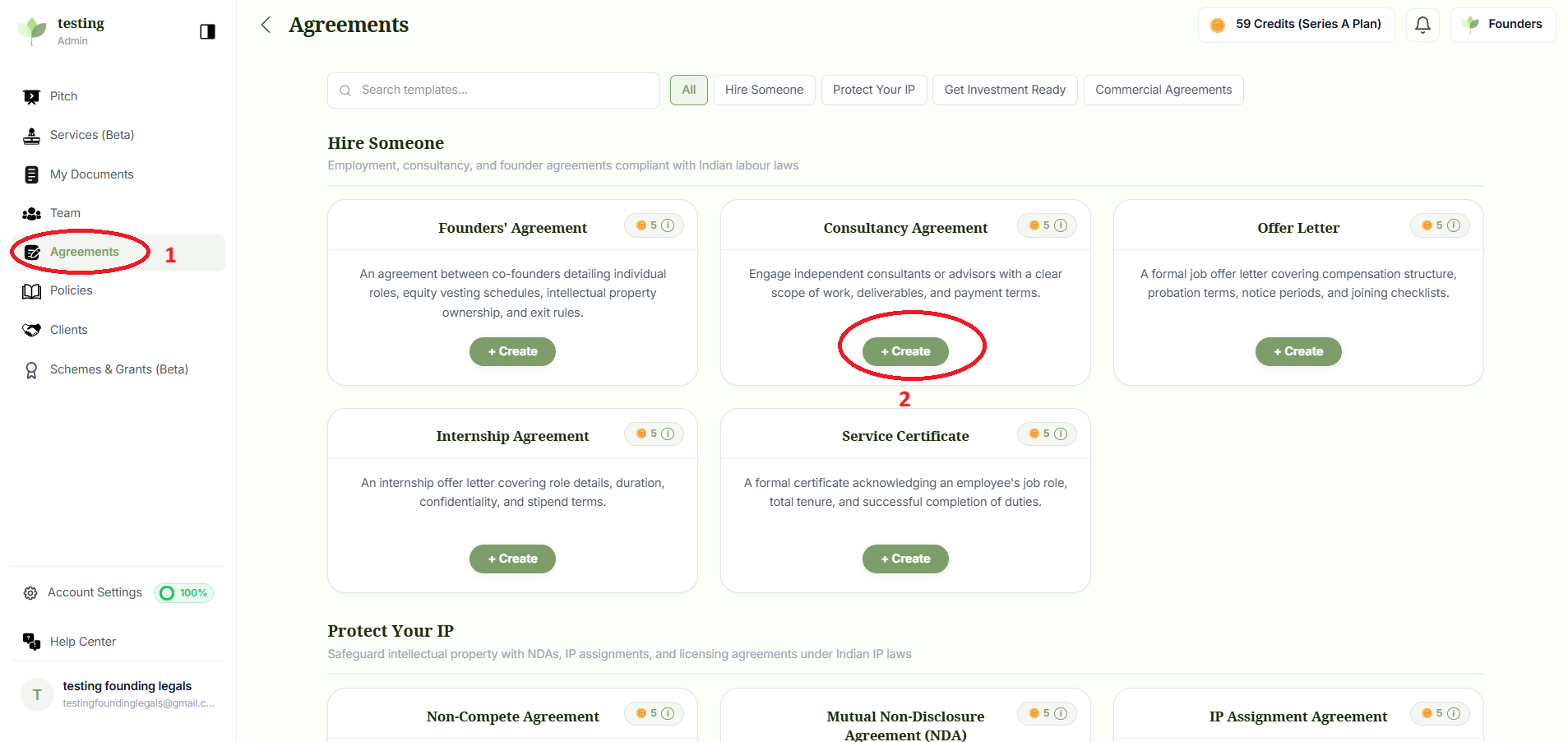
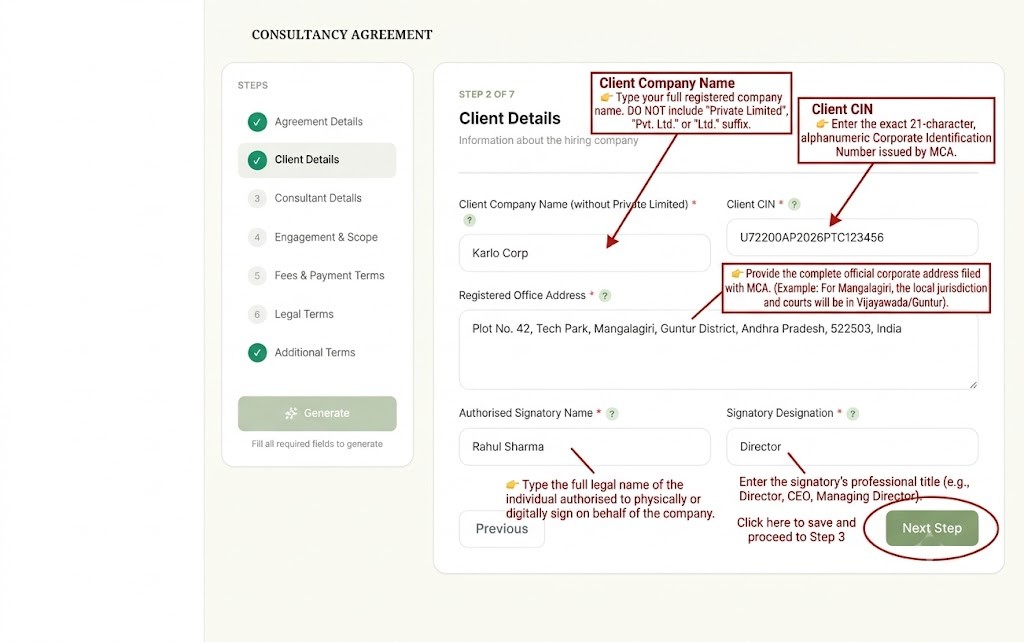
Enter corporate details: Input your company registered name, registered office address, email address, and registry information (CIN). If you need help with any field, hover or click the Question Mark Icon (❓) next to the input fields.
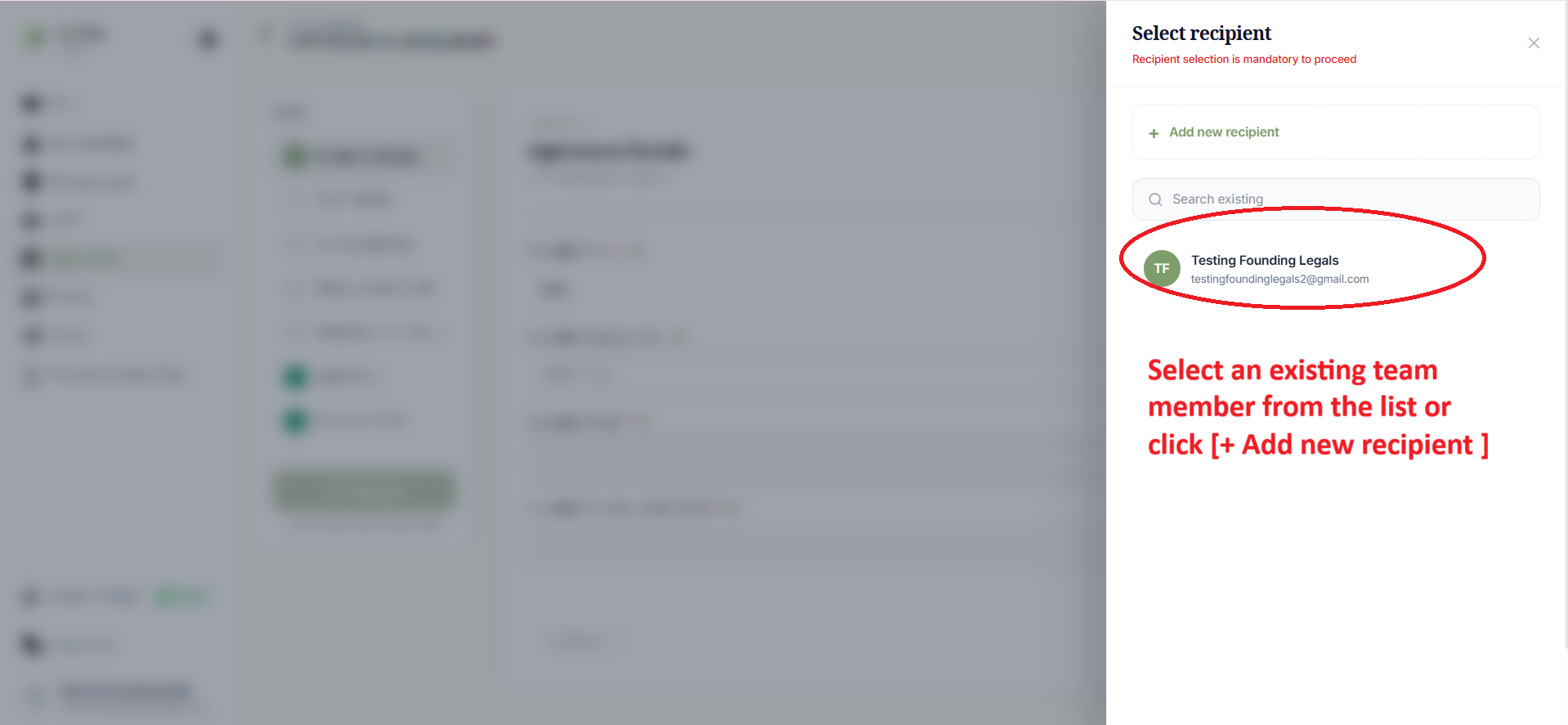
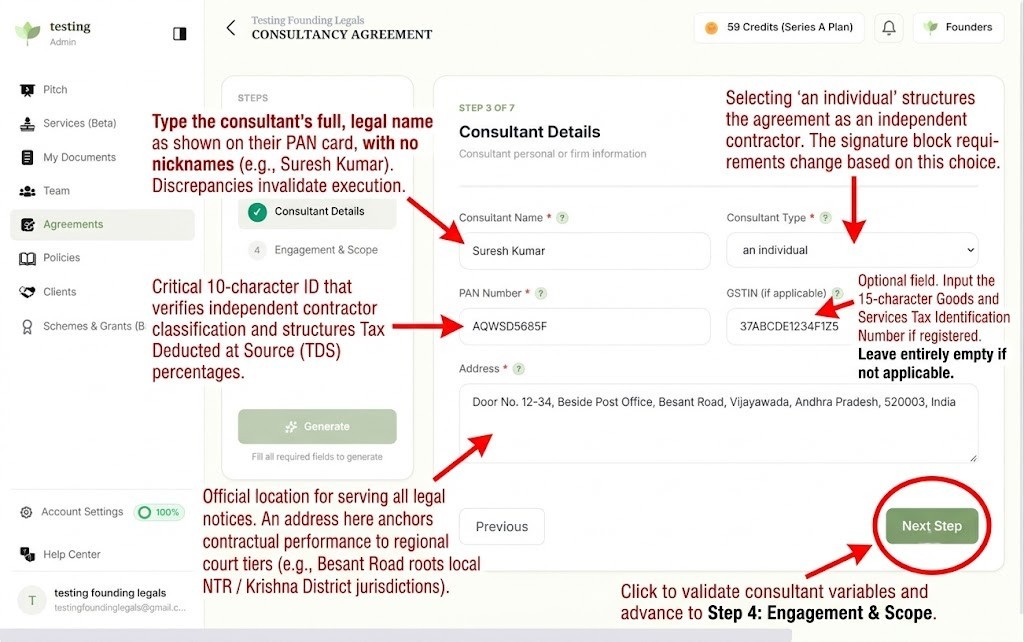
Provide Consultant Info: Enter the legal credentials of the consultant. This includes their full legal name (matching their PAN card), permanent address, age, parentage, PAN, Aadhaar number, and professional contact email for formal notifications.
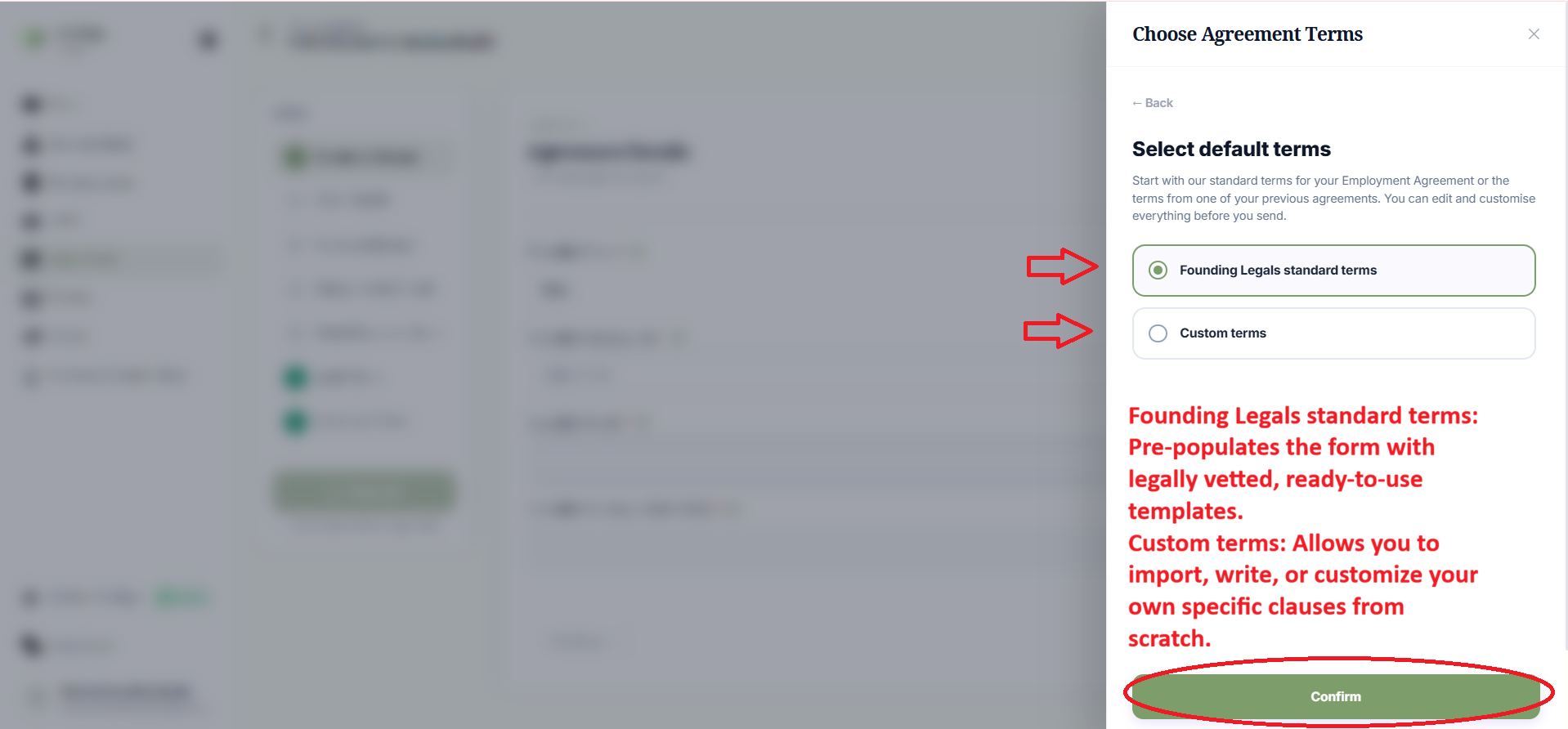
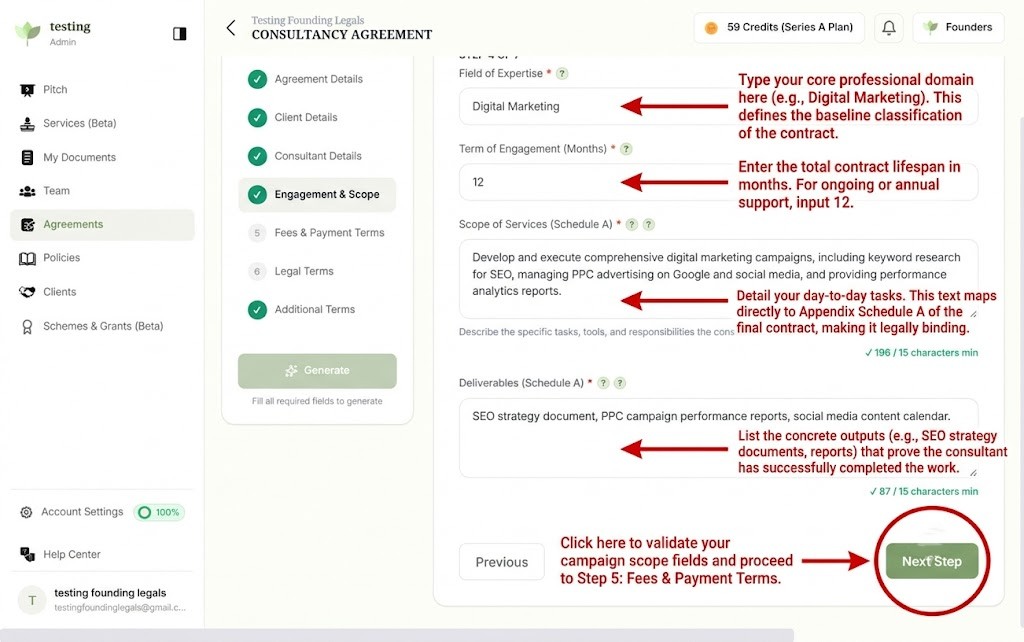
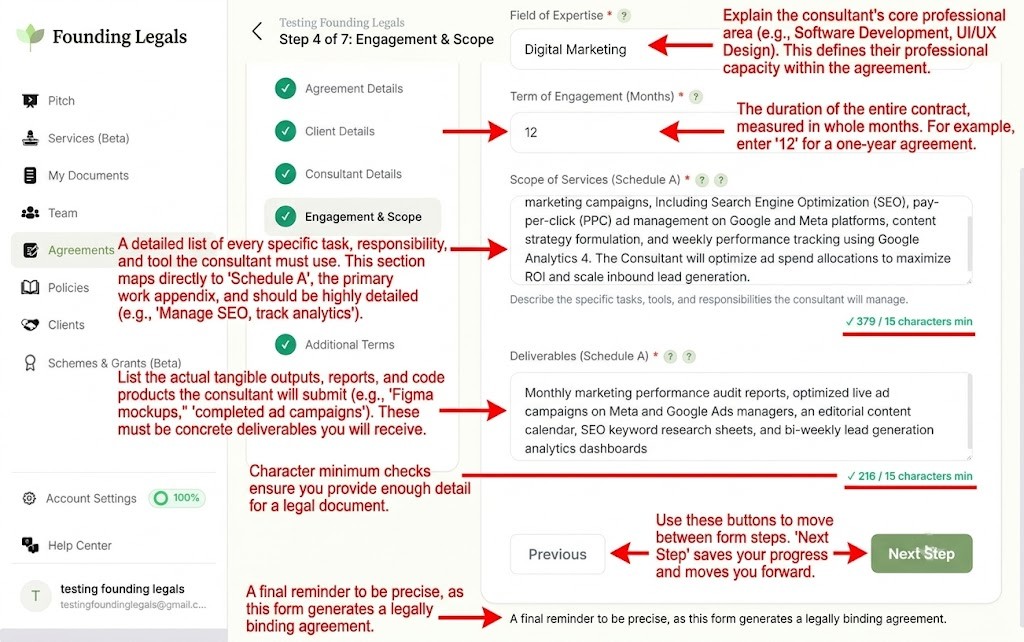
Define the assignment parameters: Specify the exact deliverables, task timelines, and performance criteria the consultant is expected to satisfy. Clear drafting here prevents scope creep and future performance disputes.
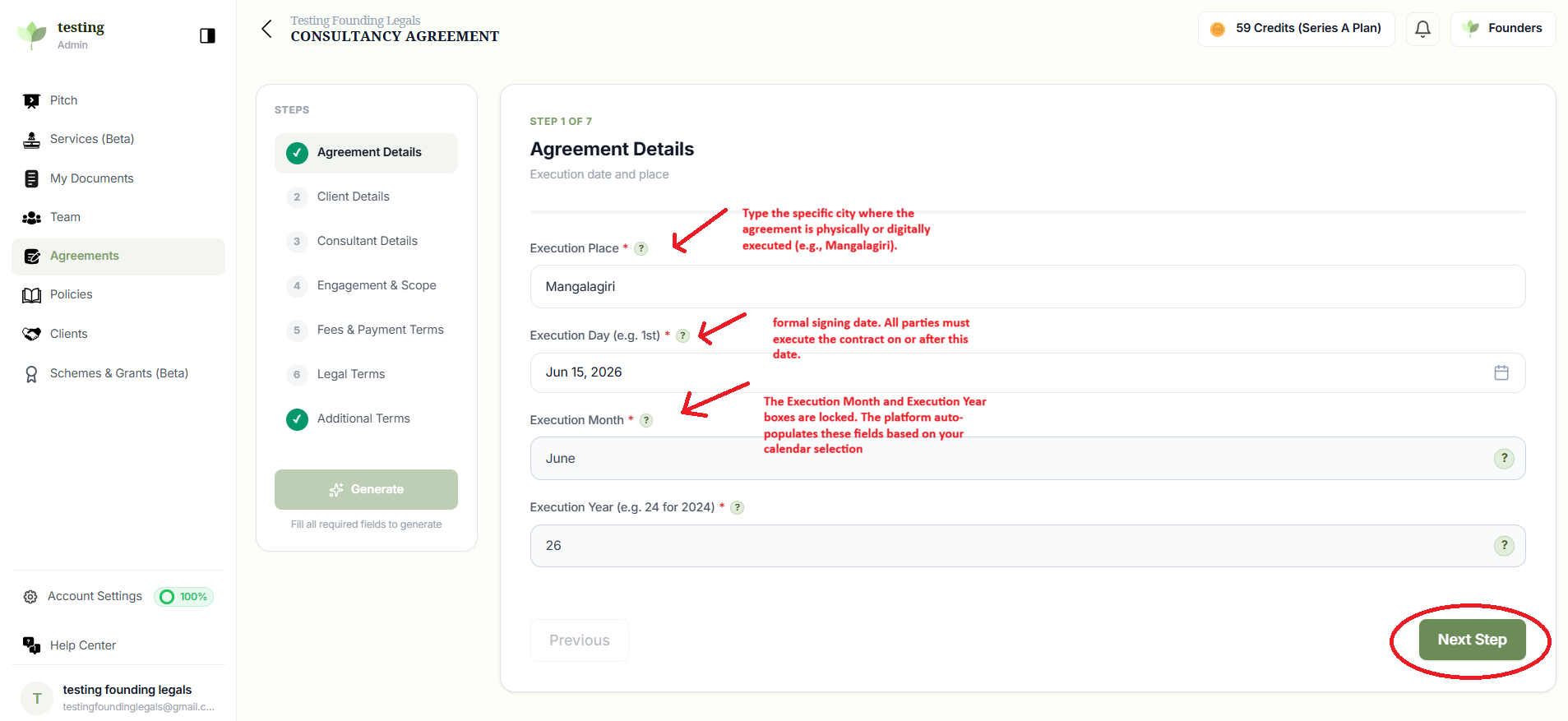
Set compensation parameters: Outline the fee structure, whether it is a fixed retainer, milestone payments, or hourly rates. Specify billing periods, invoice payment timelines (for example, net 15 or net 30 days), and how out-of-pocket expenses are reimbursed.
Protect proprietary works: Determine the IP assignment terms. Select standard assignment clauses to ensure all codes, designs, branding, or operational workflows developed by the consultant are fully owned by the company upon payment.
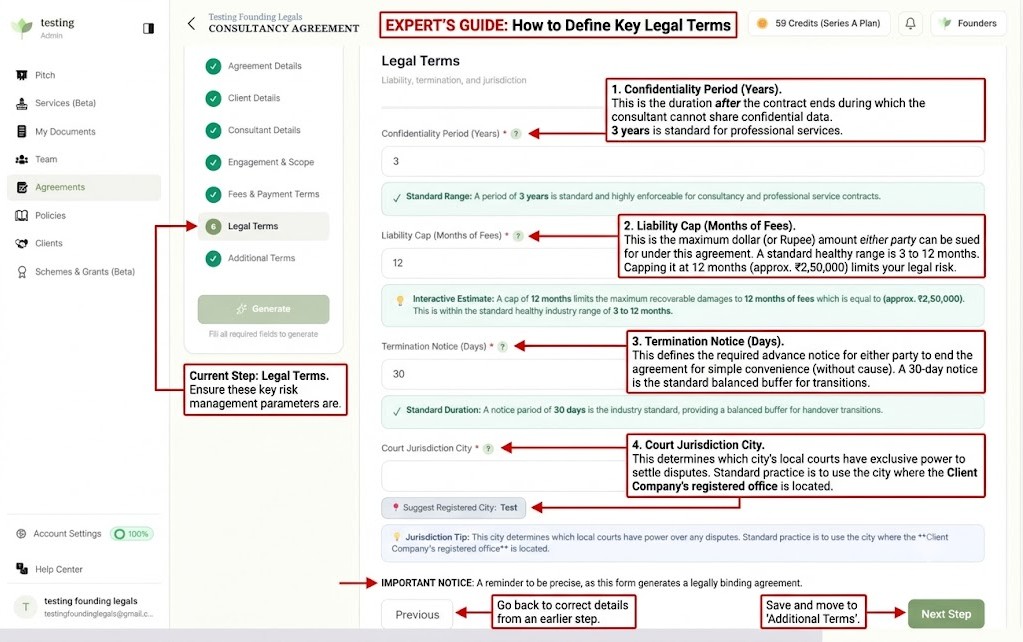
Establish dissolution parameters: Define how the agreement can be ended. Set notice periods required for either party to terminate for convenience, and establish parameters for immediate termination for cause (such as breach of confidentiality).
Select dispute resolution seats: Specify the city of arbitration for formal dispute resolutions under the Arbitration and Conciliation Act, 1996, and set the exclusive courts holding local authority over legal disputes.
Define custom rules: Enter any specialized legal clauses, non-disclosure parameters, or custom business covenants relevant to your consultancy relationship. If standard provisions are sufficient, you can leave these optional fields blank.
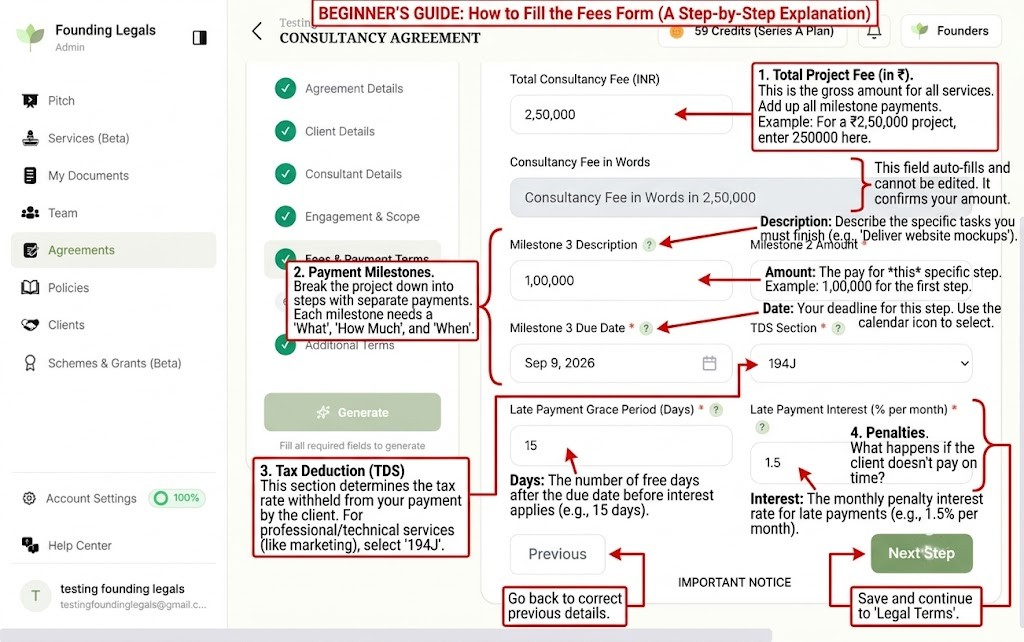
Generate the document: Verify that all steps in the left-hand wizard navigation panel are successfully completed with green checkmarks. Check your wallet balance in the top-right and click the green "Generate" button to construct your contract draft.
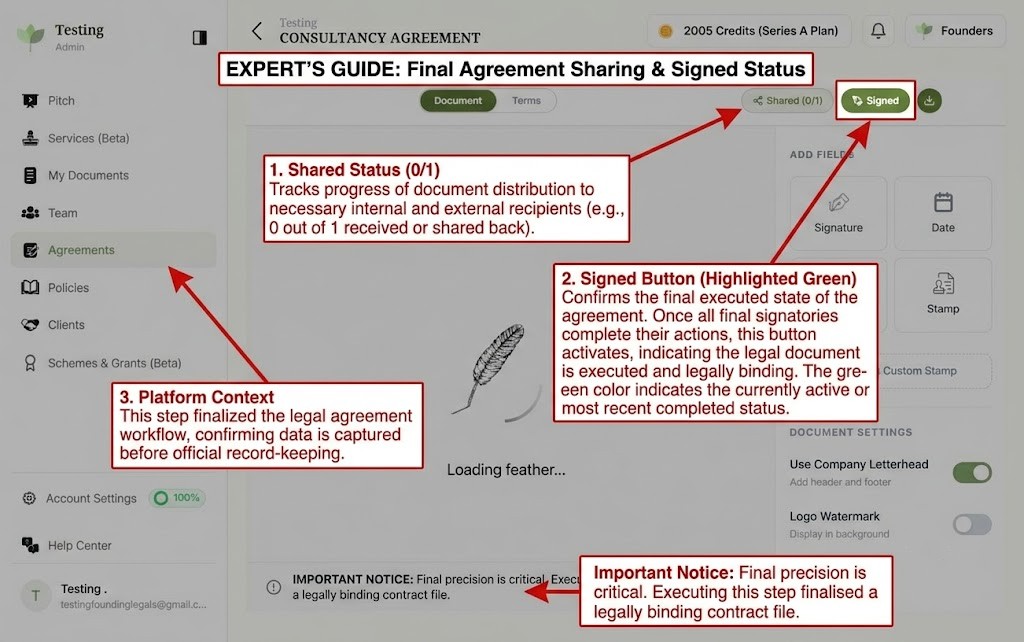
Format and sign: The editor opens the interactive contract viewer. Drag and drop signature placeholders, date lines, or company stamps from the right panel. Toggle letterheads and watermarks on or off, then send the agreement to the consultant.
Under Indian labor laws, consultants must not be treated as regular employees. Avoid adding clauses that mandate fixed working hours, impose employee benefits (like Provident Fund or Gratuity), or restrict them from serving other clients. Doing so can lead to courts reclassifying the relationship as employer-employee, exposing your startup to retroactive benefit claims and tax liabilities.
Ensure your compensation terms state whether the consultancy fee is inclusive or exclusive of GST. Additionally, remember that payments to individual consultants are subject to Tax Deducted at Source (TDS) under Section 194J of the Income Tax Act (generally 10% for professional services or 2% for technical services). State these tax allocations clearly to avoid billing disputes.
Quality Assurance
Reviewed by Manoj Kumar Thota
Founder / Developed Founding Legals
About the Author
Manoj Kumar Thota is the creator behind Founding Legals